

GETTING STARTED
Welcome to Hana
Hana is a social gaming platform that turns your living room into a shared game board. Games are displayed and hosted on an Apple TV or iPad, while each player uses their own iPhone as a personal controller.
With instant access to more than 20 multiplayer games, Hana brings families and friends together for casual, accessible social play. The platform combines familiar licensed games with original content, player profiles, rewards, avatars, and cross-game progression.
Hana is designed for players of all ages and is ideal for families, friends, parties, and groups playing together in the same room.
What You Need
To start playing Hana, you will need:
An Apple TV or iPad to host and display the game.
At least two iPhones to use as player controllers.
The Hana app installed on every device.
You can connect additional iPhones for more players. The maximum number of active players depends on the game you choose.
Apple TV or iPad = Game Host
iPhones = Player Controllers
1. Start Hana
Install and open the Hana app on your Apple TV or iPad and on each iPhone that will be used as a controller.
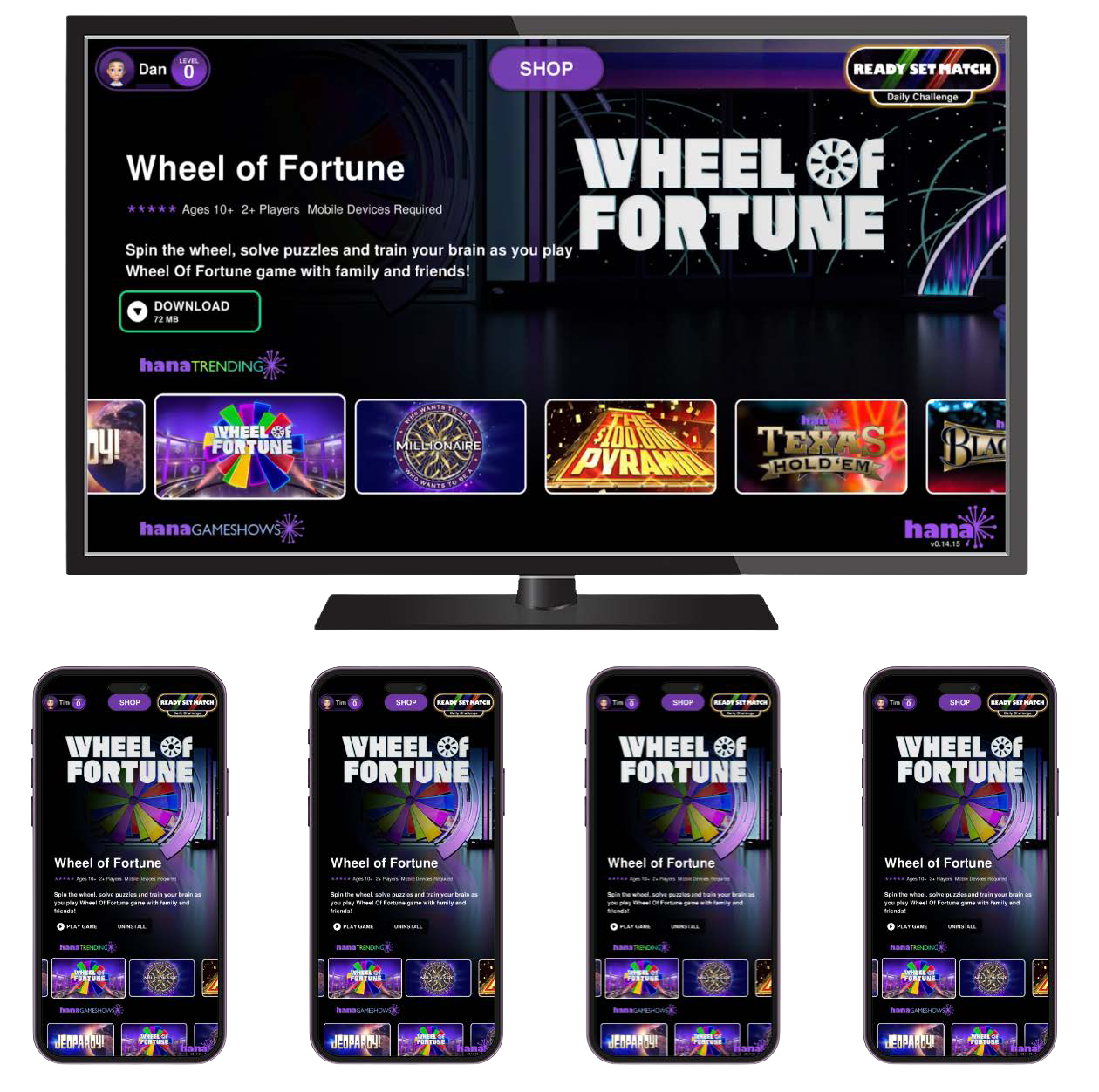
2. Choose a Game
On the Apple TV or iPad:
1. Browse the available games.
2. Select the game you want to play.
3. Tap DOWNLOAD 4. Tap PLAY GAME
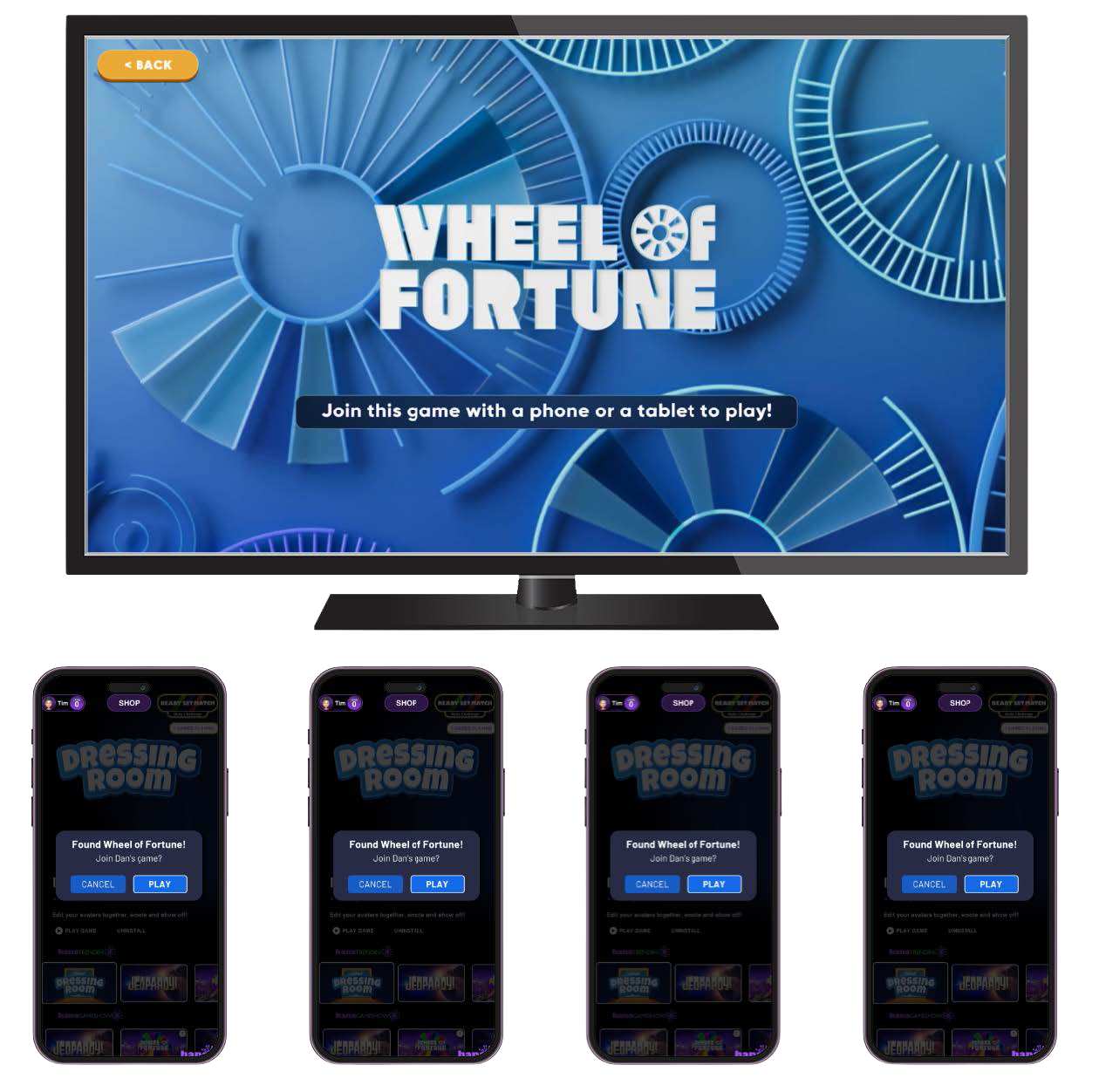
3. Join from an iPhone
Hana will create a new multiplayer session. iPhones running Hana will receive a message inviting their players to join the game hosted by your Apple TV or iPad.
On each iPhone that wants to participate:
1. Wait for the invitation to appear.
2. Tap PLAY.
3. The player will automatically enter the game's lobby.
Repeat this on every iPhone that will participate in the game.
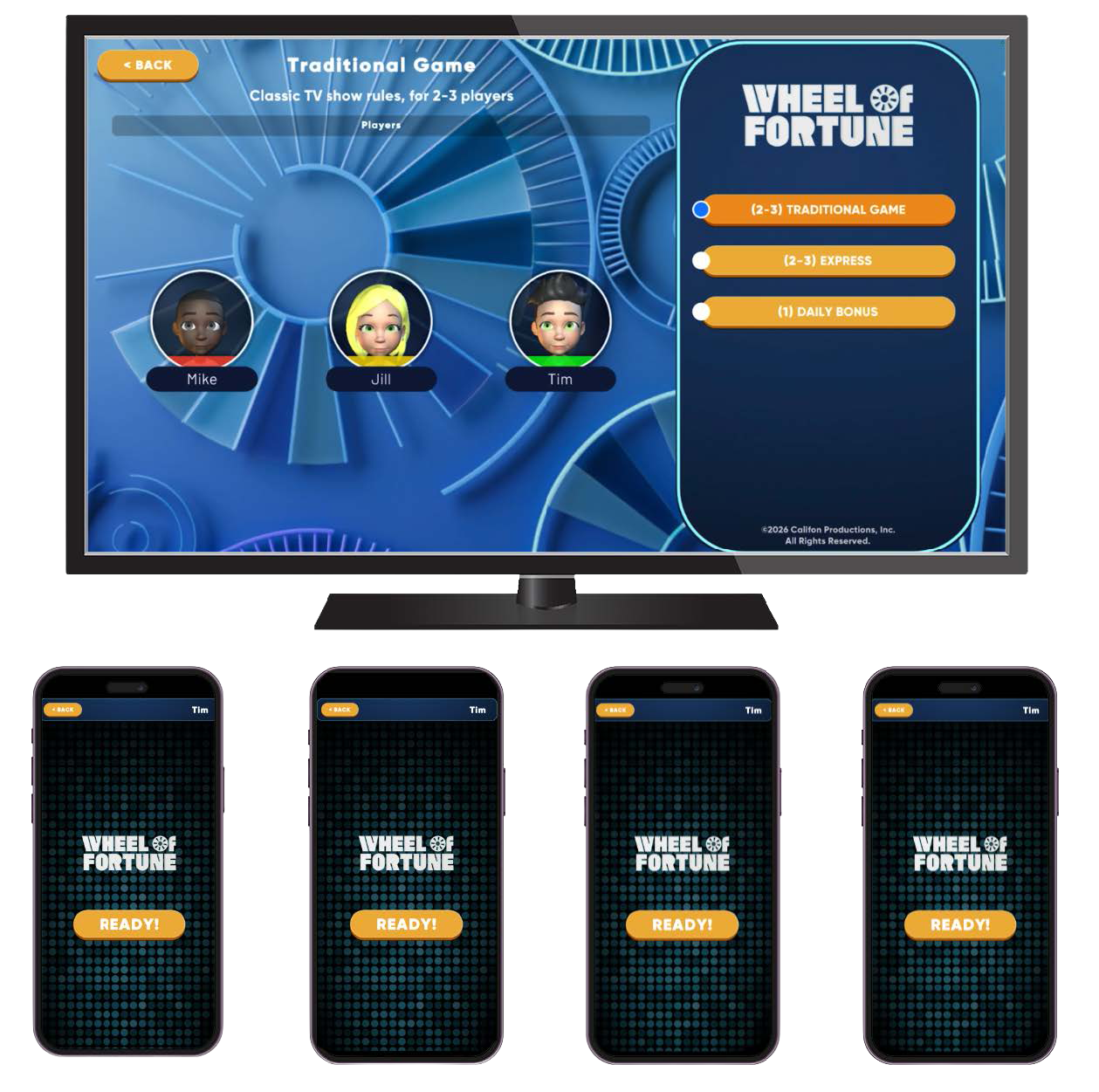
4. Start Playing
Once everyone has joined, each player should tap READY! on their iPhone.
When all participating players are ready, the game will start.
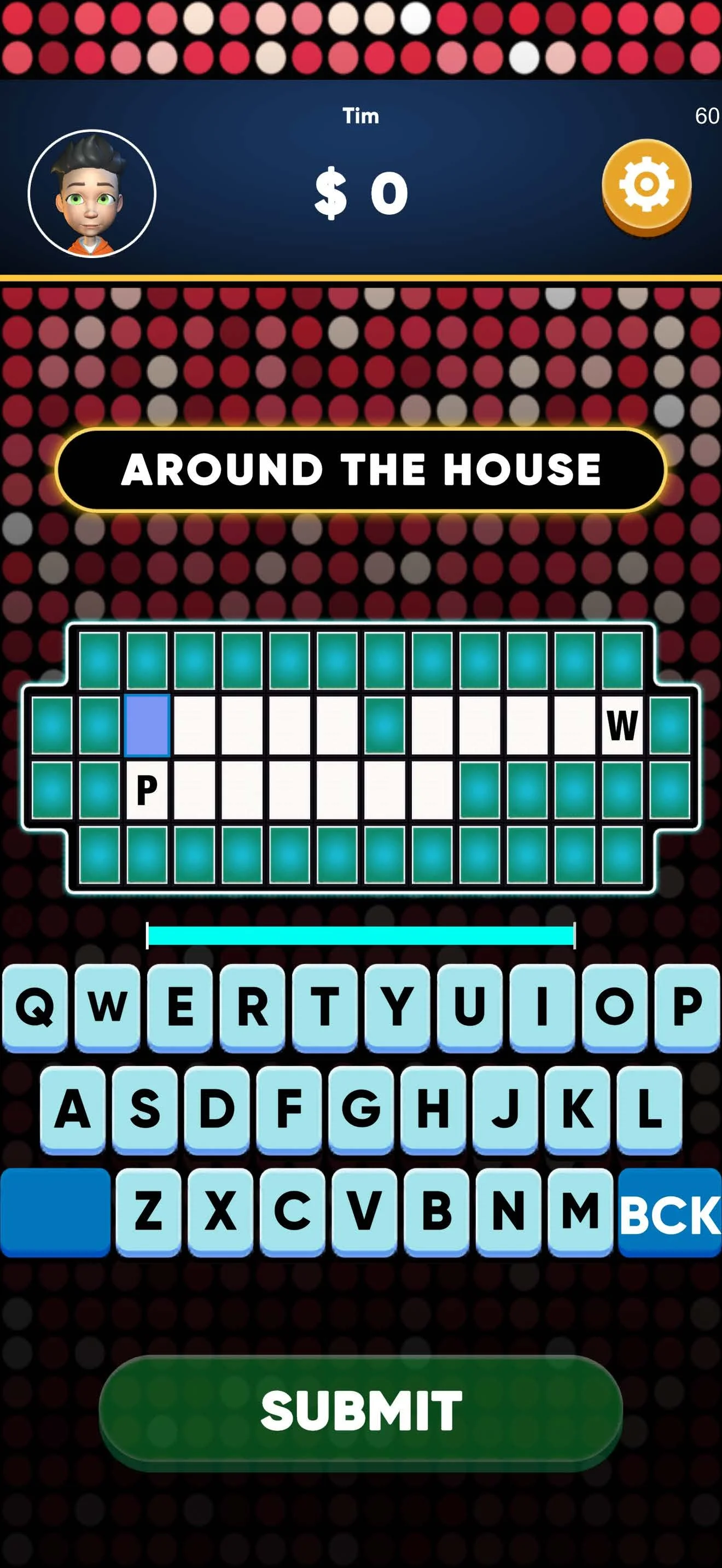
Your iPhone now becomes your personal game controller. Depending on the game, it may display buttons, choices, cards, questions, information, or other controls specifically for you.
Adding More Players
You can use multiple iPhones as Hana controllers, so everyone in the room can participate from their own device.
The number of players supported depends on the individual game. Some games may support larger groups, while others are designed for fewer players.
Quick Start
1. Install and open Hana on your Apple TV/iPad and iPhones.
2. Select Continue as Guest, choose a nickname, and tap OK.
3. On the Apple TV/iPad, choose a game and tap PLAY GAME.
4. On iPad tap CREATE to create a multiplayer session.
5. On each iPhone, tap PLAY when the invitation appears.
6. Each player taps READY!. 7. When everyone is ready, the game begins.
How to Get the Best Experience
Put every device (TV and phones) on the same, stable wi-fi and internet connection.
Keep your device and the Hana app updated to the latest version.
Close background apps and browser tabs you're not using.